
Configuration
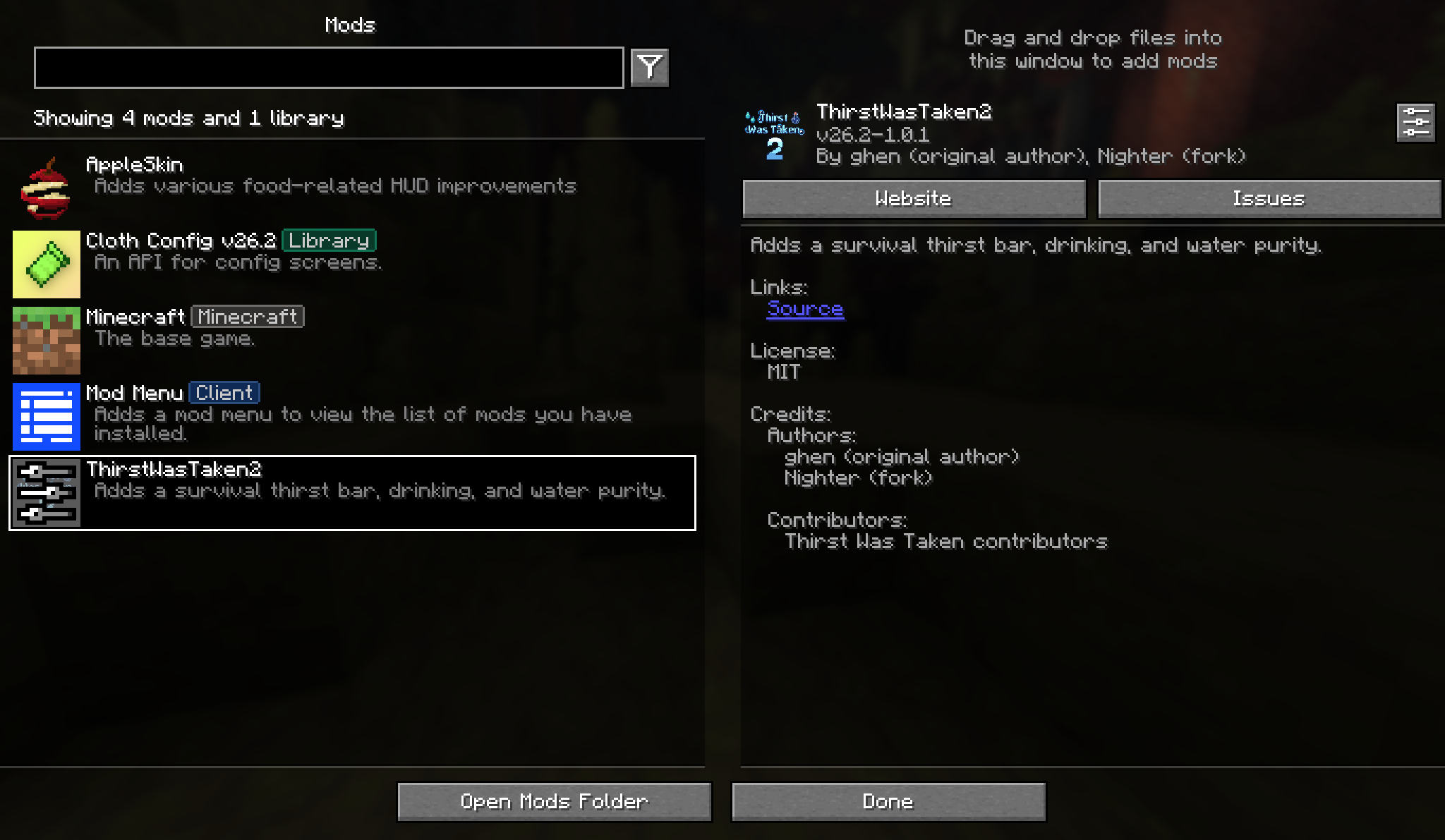
config/thirstwastaken2.json is written on first launch. With Mod Menu installed you can edit it in game from Mods > ThirstWasTaken2 > Config, and the screen saves when you close it. Its last button opens the file itself, for the few settings that are too long to fit on a slider.
TIP
Only the HUD section is read from your own copy. Everything else comes from the copy on the machine running the world, so on a dedicated server that is the server's file. Editing the file by hand takes effect the next time the game or server starts.
Thirst Depletion
thirstDepletionModifier
Default 1.2, shown as 120% in game. The base speed thirst drains at, before the biome adjusts it. Set it to 0 to stop thirst draining anywhere.
netherThirstDepletionModifier
Default 3.0. The speed used in the Nether and in any other dimension where water evaporates. It replaces the biome calculation rather than stacking with it.
fireResistanceDehydrationPercent
Default 50. How much of the normal speed applies while Fire Resistance is active. Lower is kinder.
thirstDepletionInPeaceful
Default false, so thirst slowly refills on Peaceful instead of draining. Turn it on if Peaceful should still be a survival challenge.
depletesWhenNauseous
Default true. Adds a steady extra drain while the Nausea effect is running, which is what makes dirty water hurt twice.
dehydrationHaltsHealthRegen
Default true. Blocks natural healing while thirst is not nearly full. See Running low.
preventSprintingWhenThirsty
Default true. Stops sprinting once thirst is 6 or below.
Drinking
canDrinkByHand
Default true. Lets a player sneak and use an empty hand on water to drink from it directly.
drinkByHandNeedsBothHandsEmpty
Default false. When on, drinking by hand also asks for the other hand to be empty.
handDrinkingHydration
Default 1. Thirst restored by one drink from a water source.
handDrinkingQuenched
Default 1. Reserve restored by that same drink.
extraHydrationConvertsToQuenched
Default true. Hydration above a full bar becomes reserve instead of being thrown away. Plain water cannot be started while the bar is already full, but overflow still applies when a drink begins below full.
Water Purity
defaultPurity
Default 2, acceptable. Used for any water the mod cannot place, including drinks added by other mods.
quenchWhenDebuffed
Default true. Water that poisons you still fills the bar. Turn it off to make bad water a pure loss.
nauseaChance and poisonChance
Two lists of four percentages, one per grade, from dirty to purified. The defaults are in Drinking bad water. The config screen shows them as eight separate sliders.
HUD
These two are read from your own config file, even on a server. The quenched outline and the quarter step droplet drain are always on and have no ThirstWasTaken2 setting. If AppleSkin is installed, its Food Exhaustion HUD Underlay option also controls the dithered exhaustion strip behind the thirst bar.
thirstBarXOffset
Default 0. Moves the bar sideways, in pixels, between -200 and 200.
thirstBarYOffset
Default 0. Moves the bar up or down the same way. Useful when another mod already owns that corner of the screen.
Item values
drinks and foods
Two lists in the file, not on the screen. Each entry is an item id and a pair of numbers, hydration first:
"drinks": {
  "minecraft:potion": [6, 8],
  "thirstwastaken2:terracotta_water_bowl": [4, 5]
}
Ids for items that do not exist are simply ignored, which is how the mod ships values for a dozen food mods without depending on any of them. Add your own entries here to support a mod that is not covered.
itemBlacklist
Empty by default. A list of item ids that restore nothing, whatever the lists above say.
enableKeywordMatching
Default false. Guesses a value for unknown items from their id, so a strawberry_juice from any mod is treated as a drink. It is off because a guess can be wrong in both directions, but it is the quickest way to cover a large modpack.
drinkKeywords, soupKeywords and fruitKeywords
The three groups matched against the item id, each a list separated by |. An item matching drinkKeywords is worth keywordDrinkValue, and so on for keywordSoupValue and keywordFruitValue. Drinks are checked first, then soups, then fruit.
keywordBlacklist
Words that stop keyword matching before it starts, so melon_seed and pumpkin_pie are not mistaken for food worth drinking. It only applies to guesses, never to an item listed in drinks or foods.